I’m writing this post because there doesn’t seem to be much instruction about how to search effectively from the url bar or omni-bar as the google folks call it.
The way its supposed to work is that if you type in a keyword for the search engine then the search query and hit enter, the search will execute using the search engine you specified.
so if you type
“amazon.com Art of Rails”
(note the space between amazon.com and the query)
into the omni bar then hit enter, your search will execute on Amazon.com.
To know that you’re doing it right, after typing in the keyword (amazon.com) and space, the url should look something like this

Inspired by Opera, I copied the way they make this easier on their users (the keyword for ebay is search.ebay.com for crying out loud).
Go to the options menu

and click on “manage”
now edit your keywords to one letter like so

now all you have to do to search is type
“a Art of rails”
instead of what you had to type before.
September 11th, 2008
Yesterday I awoke to news about Google Chrome … EVERYWHERE.
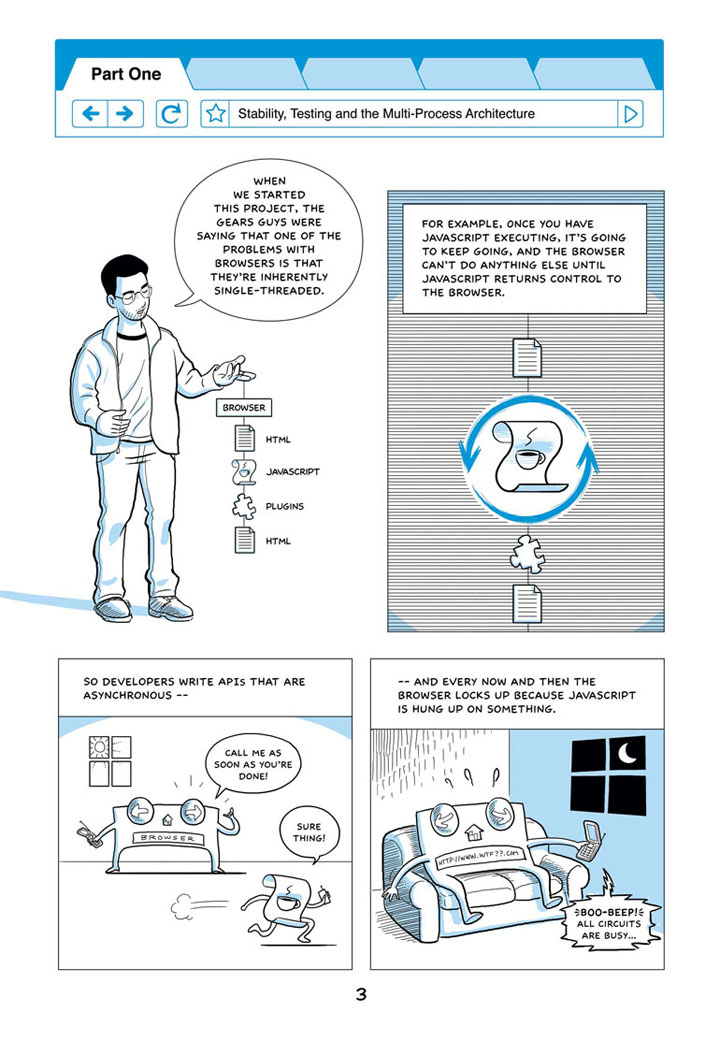
And being the non-conformist I like to think I am (like everybody else in the universe), I wasn’t even going to give it a look until I stumbled onto this brilliant marketing tool that they had put together. Its a 40 page comic book walking you through the thought process behind why Google Chrome came about, and how it is different from everything on the market already.
What makes this puppy different?
The main philosophical difference between this browser and others is that fact that, instead of running the browser in one memory space, each tab in the browser has its own process.

Why is this important?
It means that when a piece of javascript goes nuts, in your browser, all you have to do is close the tab.
In traditional browsers, you’d have to restart the entire browser. It also means that ripping out a tab and making it its own window is a piece of cake
Protecting against Plugins and Malware
They’ve taken this philosophy and used it to protect Chrome from malware, by putting them in a ’sandbox’ where they can’t read or write to sensitive areas of your computer (this is why IE was so terrible at protecting against malware).
This was harder to do with plugins like quicktime or Adobe Acrobat because they , so they worked on putting those in separate processes, so that, again, the browser and tabs could be protected from misbehaving plugins . This is remarkable because of the way that plugins, javascript and html interact so closely.
Javascript
The other brilliant piece of game-changing innovation that Chrome brings to the table is a Javascript virtual machine (also called V8). The virtual machine allows you run javascript much faster by implementing (in theory anyway) better garbage collection, compiling javascript to native machine code that the cpu can run directly. This is as opposed to translating some mid level code into machine code to run (cuts out one extra step).
Speed
The first thing you’ll notice about Google Chrome is the speed and smoothness of the whole thing. Page loads are smooth and quick, and everything just seems swift. I think this is because they used webkit as the rendering engine.
Webkit is the rendering engine for Safari, and if you download and try that, you’ll notice it has the same (but to a lesser degree) smoothness in rendering that Chrome has.
Other cool features, incognito, google gears and task manager

What I really liked about Chrome is the way it simplifies the browser, but still has tons of innovative concepts in it. The ability to open up a task manager and see running process, how much cpu they’re using and terminate bad processes is sexy. The way it unclutters the interface by moving the tabs all the way to the top of the screen, moving the status bar out of the way till you need it, and making page load indicator and browser search use the url bar is sexy.
Google Chrome is sexy
Take it for a spin!
See more Google Chrome images and features here
September 3rd, 2008
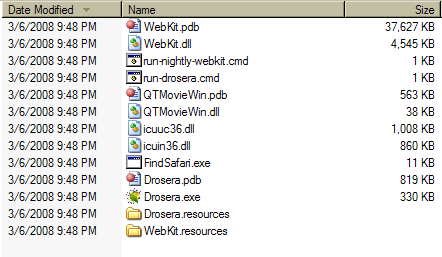
This is very straight forward, but for those who think it might be complicated. Here is all it entails.

- you should see a screen like this pop up and shortly after Safari should be running with the new webkit engine.

I think you might require Microsoft Visual Studio 2005 to make this work …
It doesn’t seem to make sense for that to be the case, but do post a comment if you get this to run without having Visual Studio installed.
March 17th, 2008
Browsing is noticeably faster … and my life is now made exceedingly difficult trying to choose between FF3, Opera 9.50 and Webkit …

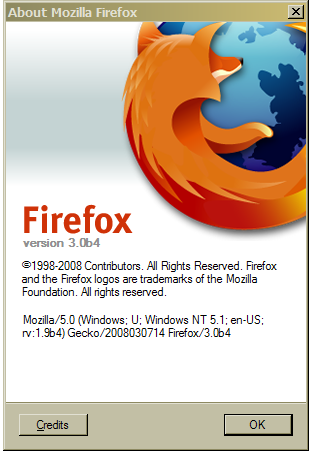
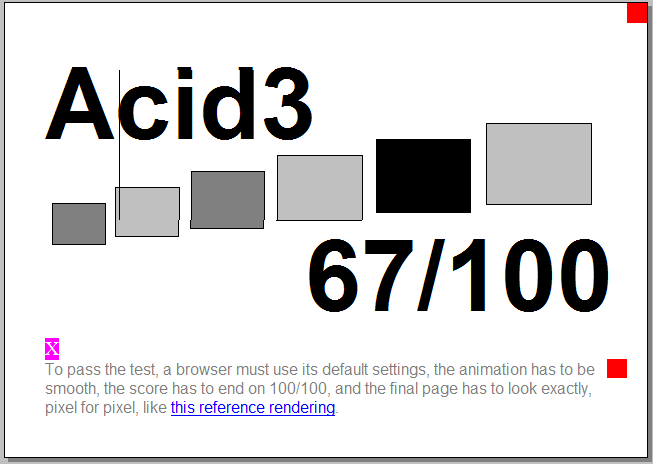
And now Firefox 3 beta 4 also now scores a 67 on Acid 3.
Still behind the Webkit nightlies though

March 11th, 2008
I am a huge fan of Safari and Webkit … what it lacks in cool features, it more than makes up for in blazing fast speed and javascript performance.
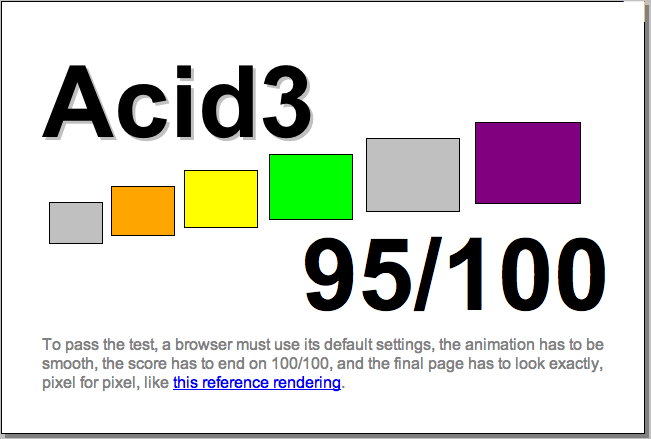
When the Microsoft released a beta for IE8, I was prompted to run the Acid3 test on the browsers I had on my system.
Here are the results I got on my windows box, testing all the installed browsers against Acid 3
[I got the Safari seed off the Apple Developer Connection]
Safari (seed 31A15) ……………………………… 76
Opera 9.50 build 9613 ………………………… 65
Opera 9.50 build 9815 ………………………… 60
Firefox 3 beta 3 ………………………………….. 47
IE 7 …………………………………………………….. 12
I posted this on an Apple Discussion board and was told by a member to test the latest nightly (30881) … which I did.
The result?

March 7th, 2008